
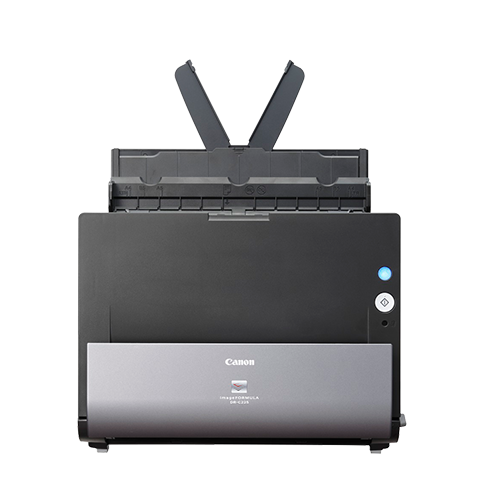
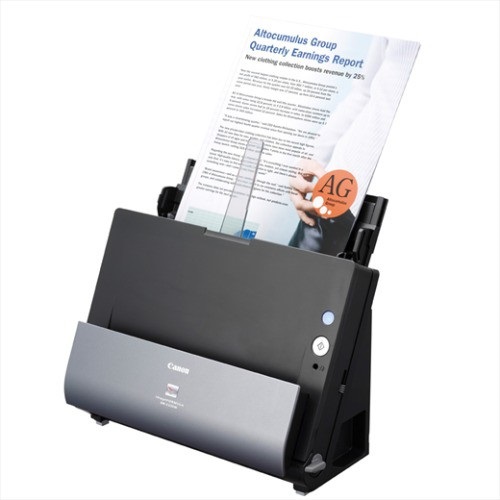
Canon Image FORMULA DR-C225 Scanner
The sleek, ultra-compact Canon Image FORMULA DR-C225 Scanner offers the ultimate in space saving. Its unique vertical J-Path design. Thus, making it ideal for placement in busy departments and on small office desktops.
COMPACT PROFILE, UNIQUE DESIGN
Combining unique design and innovative features, the DR-C225 offers affordable scanning without compromising on performance. Additionally, it’s vertical J-Path transport system means the DR-C225 has one of the smallest footprints in its class. Also, the scanner can be placed directly abutting a rear wall or on a counter-top where space is limited. Moreover, straight through paper path option, thick or embossed cards are easily scannable. Thus, making it extremely versatile.
FAST AND RELIABLE SCANNING
The DR-C225 offers impressive scanning colour speeds of up to 25ppm (or 50 images per minute in duplex), while assuring reliable paper handling.
EASY OPERATION, SUPERB RESULTS
The innovative features of DR-C225 helps making the scanning process easier for users. CaptureOnTouch incorporates a Full Auto Mode function that automatically applies the best settings based on document content. With a simple one-touch scanning operation, complicated tasks are completed in a few seconds. Another innovative feature of the DR-C225 is the ‘face-up’ document feeding option, which allows users to feed documents in their natural orientation to save valuable time.
REDESIGNED CAPTUREONTOUCH
The latest enhancements to CaptureOnTouch offer a simpler and more intuitive scanning experience. This powerful and versatile scanning solution has been redesigned with a step-by-step icon-based user interface. It lets users scan, edit and send their documents even more easily. Also, users can quickly convert their paper documents to multiple file formats (PDF, TIFF, JPEG, BMP, PNG and PowerPoint). CaptureOnTouch is equally capable as a simple document filing solution that lets you scan and create searchable PDF documents – including easy text-based search and retrieval. One can also scan the documents to PDF/A files – the standard format for long-term archiving.
POWERFUL AND VERSATILE SOFTWARE
The DR-C225 comes with a powerful and versatile range of ‘out of the box’ software that will enable users to work more efficiently. Additionally, the CaptureOnTouch, Bizcard, OmniPage, Paperport, eCopy PDF Pro Office and PageManager (Mac) are all included to help increase productivity.
SCAN TO THE CLOUD
With an even greater choice of bundled plug-ins included, you can easily scan to your favourite cloud-based document and data management service; including SugarSync, OneDrive and Dropbox as well as Google Drive, SharePoint and Evernote.
INCLUDED APPS
CAPTUREONTOUCH 3
With CaptureOnTouch user-friendly interface you can easily scan paper documents into digital archives and save or send them to multiple destinations, including cloud services. Create searchable PDF files using its built-in OCR technology.
Compatibility: Windows, Mac
CAPTUREONTOUCH PRO
This scanner comes with CaptureOnTouch Pro, Canon’s professional-quality, easy-to-use scanning software. Effortlessly capture and classify batch scans, integrate your Canon scanner with your business and document workflows, and boost your productivity.


















Reviews
There are no reviews yet.