

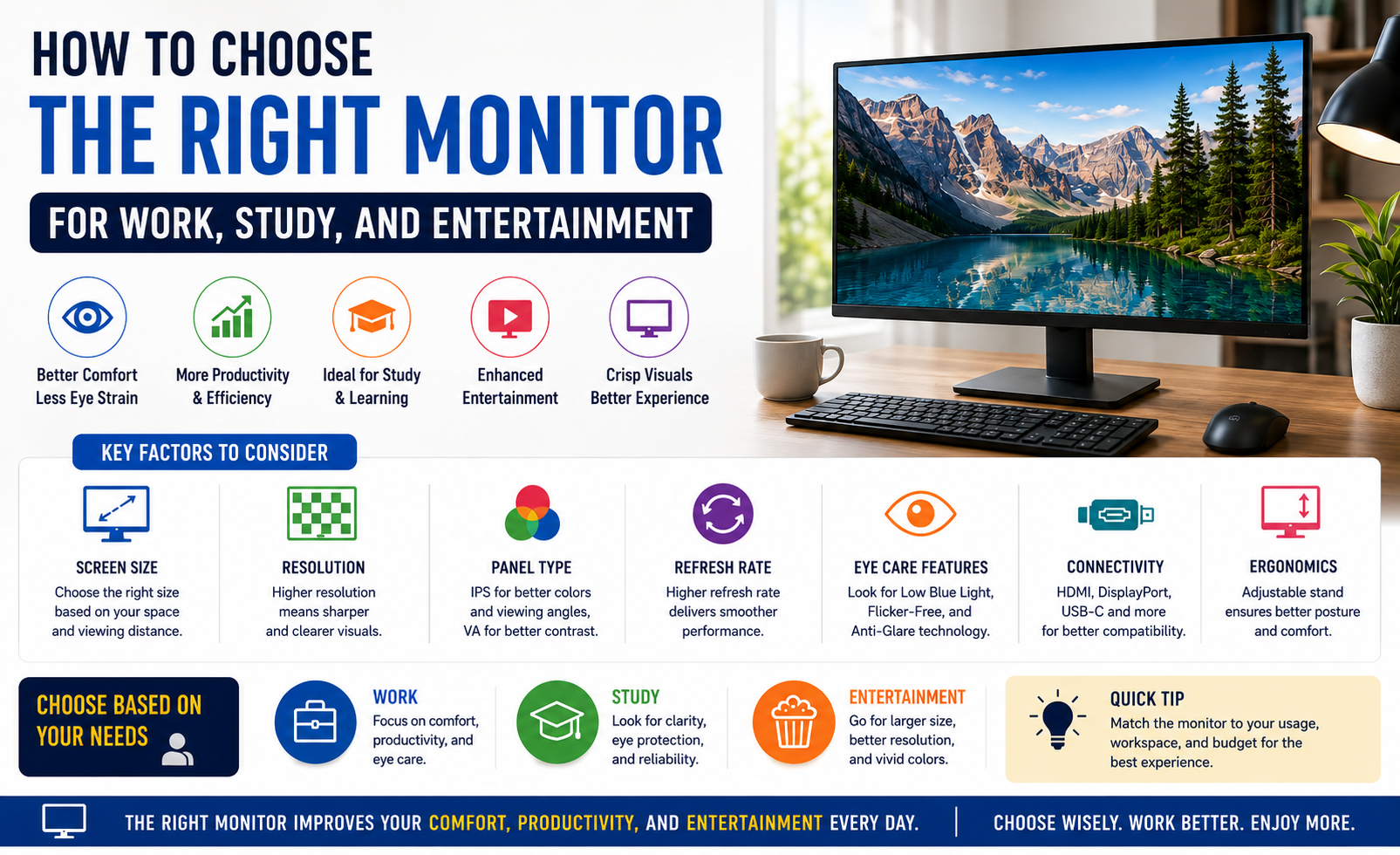
A monitor is one of the most important parts of your computer setup. Whether you’re attending online classes, working from home, watching movies, creating presentations, or simply browsing the internet, the right monitor can significantly improve your experience.
With so many options available today, choosing the best monitor can feel confusing. Screen sizes, resolutions, panel types, refresh rates, and connectivity options all play a role in determining which monitor is right for you.
This guide will help you understand the key factors to consider when buying a monitor for work, study, and entertainment in 2026.
Why Choosing the Right Monitor Matters
Most people spend several hours every day looking at a screen. A good monitor can:
- Improve productivity
- Reduce eye strain
- Enhance viewing comfort
- Deliver better image quality
- Make multitasking easier
Choosing a monitor based on your actual needs ensures you get the best value for your money.
Step 1: Determine Your Primary Usage
Before looking at specifications, identify how you’ll use the monitor.
Monitor Recommendations by Usage
| Usage | Recommended Monitor |
|---|---|
| Office Work | 24″ Full HD IPS |
| Students | 24″ Full HD IPS |
| Entertainment | 27″ Full HD or QHD |
| Multitasking | 27″ QHD |
| Content Creation | 27″ 4K IPS |
| General Home Use | 24″ or 27″ IPS |
For most users, a 24-inch or 27-inch monitor offers the perfect balance between screen space and affordability.
Step 2: Choose the Right Screen Size
Monitor size affects both comfort and productivity.
Common Monitor Sizes
| Screen Size | Best For |
|---|---|
| 22″–24″ | Study & Office Work |
| 24″–27″ | Everyday Use |
| 27″–32″ | Productivity & Entertainment |
| 34″+ | Advanced Multitasking |
A 24-inch monitor is ideal for students and office users, while a 27-inch monitor provides extra workspace for multitasking and media consumption.
Step 3: Understand Monitor Resolution
Resolution determines how sharp and detailed images appear.
Resolution Comparison
| Resolution | Best For |
|---|---|
| HD (720p) | Basic Tasks |
| Full HD (1080p) | Work, Study, Entertainment |
| QHD (1440p) | Productivity & Multitasking |
| 4K UHD | Professional Work |
For most users, Full HD remains the best value option. However, if you work with multiple windows or need sharper visuals, a QHD monitor is worth considering.
Step 4: IPS vs VA vs TN Panels
The panel type directly impacts color quality and viewing experience.
Monitor Panel Comparison
| Panel Type | Advantages | Disadvantages |
|---|---|---|
| IPS | Better Colors & Viewing Angles | Slightly Higher Cost |
| VA | Excellent Contrast | Slower Response |
| TN | Budget-Friendly | Limited Viewing Angles |
Best Choice
For work, study, and entertainment, IPS monitors offer the best overall experience.
Popular Monitor Options Available at Saboo Computers
If you’re looking for a new monitor, here are some examples available at Saboo Computers.
Monitor Comparison Table
| Monitor Model | Screen Size | Resolution | Best For |
|---|---|---|---|
| ViewSonic VA2406-H | 24″ | Full HD | Work & Study |
| ViewSonic VA2732-MH | 27″ | Full HD | Productivity |
| ViewSonic VA3209-MH | 32″ | Full HD | Entertainment |
| ViewSonic VX2405-P-MHD | 24″ | Full HD IPS | Everyday Use |
| Dell E1916HV | 19″ | HD | Basic Office Work |
| Lapcare LM24WFHD | 24″ | Full HD | Students |
Best Budget Choice
The Lapcare LM24WFHD 24-inch Full HD Monitor is suitable for students and home users looking for an affordable display.
Best Productivity Monitor
The ViewSonic VA2732-MH 27-inch IPS Monitor provides additional screen space for multitasking and office work.
Best Entertainment Monitor
The ViewSonic VA3209-MH 32-inch Monitor delivers a larger viewing area for movies, videos, and content consumption.
Step 5: Consider Refresh Rate
Refresh rate refers to how often the monitor updates the image every second.
Refresh Rate Comparison
| Refresh Rate | Suitable For |
|---|---|
| 60Hz | Office Work |
| 75Hz | General Use |
| 100Hz | Smooth Productivity |
| 120Hz+ | Advanced Usage |
For everyday work and study, 75Hz offers a noticeably smoother experience than standard 60Hz monitors.
Step 6: Check Eye-Care Features
Long hours in front of a screen can cause eye fatigue.
Look for monitors with:
- Low Blue Light Mode
- Flicker-Free Technology
- Anti-Glare Coating
- Adjustable Brightness
These features help reduce eye strain during extended use.
Step 7: Evaluate Connectivity Options
Modern monitors offer various connectivity options.
Essential Ports
| Port | Purpose |
|---|---|
| HDMI | Universal Connectivity |
| DisplayPort | High-Resolution Displays |
| USB-C | Modern Laptops |
| Audio Jack | Speakers & Headphones |
USB-C monitors are becoming increasingly popular because they can transfer power, video, and data through a single cable.
Single Monitor vs Dual Monitor Setup
Many professionals and students consider adding a second monitor.
Comparison
| Feature | Single Monitor | Dual Monitor |
|---|---|---|
| Cost | Lower | Higher |
| Desk Space | Less | More |
| Productivity | Good | Excellent |
| Multitasking | Limited | Better |
A dual-monitor setup can significantly improve workflow, especially for professionals handling multiple applications simultaneously.
Common Mistakes to Avoid
Buying Based Only on Size
A larger monitor isn’t always better if the resolution is too low.
Ignoring Panel Type
The panel affects color quality, viewing angles, and overall comfort.
Overpaying for Unnecessary Features
Choose a monitor that matches your actual requirements.
Ignoring Ergonomics
Adjustable stands and proper viewing angles contribute significantly to comfort.
Final Thoughts
Choosing the right monitor doesn’t have to be complicated.
For most users in 2026, a 24-inch or 27-inch IPS monitor with Full HD resolution provides the best balance between performance, comfort, and affordability.
Students should focus on affordability and eye comfort. Professionals should prioritize screen size and productivity features. Entertainment users should consider larger displays with excellent image quality.
By understanding screen size, resolution, panel technology, refresh rates, and connectivity options, you can confidently choose a monitor that meets your needs today and remains useful for years to come.
Looking for reliable monitors for work, study, or entertainment? Explore the monitor collection at Saboo Computers and find the perfect display for your workspace.